
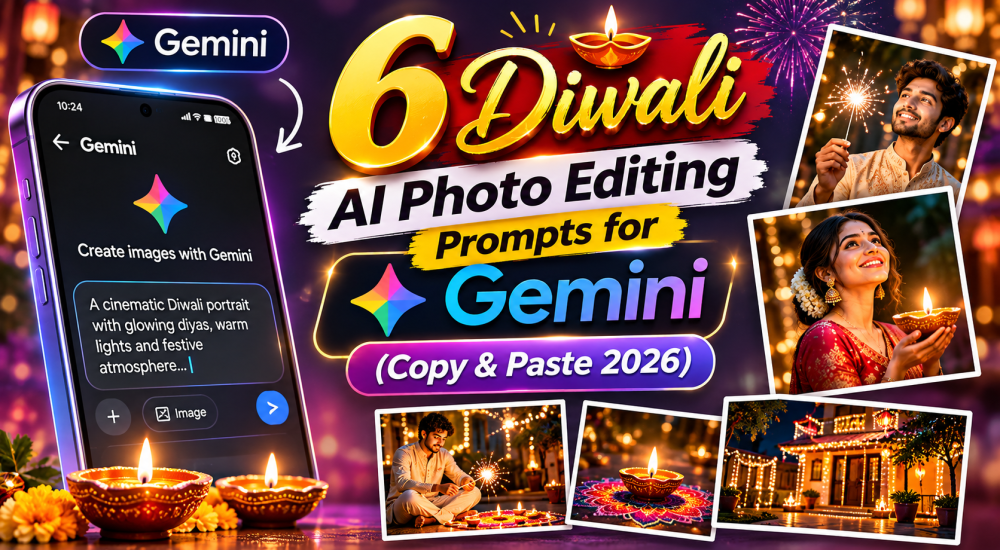
6 Diwali AI Photo Editing Prompts for Gemini (Copy & Paste 2026)
Diwali falls on 8 November 2026. The fastest way to give your festive photos a cinematic look is to upload a picture to Gemini and paste a well-written prompt. No design skills needed. Below are six copy-and-paste Diwali AI photo editing prompts for Gemini. They cover solo portraits, couples, families, balconies, product shots and greeting cards.
Each prompt below is ready to copy. Upload your photo to Gemini first, tap the Copy Prompt button, and paste the text into the chat. Portrait prompts already include instructions to preserve your appearance, although AI results can still vary.
How to Use These Diwali Prompts in Gemini
- Open Gemini on your phone or browser and start a new chat.
- Upload a clear, well-lit photo where faces are sharp and not too small in the frame.
- Copy one prompt from the list below and paste it into the message box.
- Add the face-preservation line from the next section to the end of the prompt.
- Review the result closely. Then ask for one small change at a time, such as “make the light warmer” or “remove the extra diya on the left.”
- Download your favorite version and compare it with the original before sharing.
The One Rule for Every Prompt
Tell Gemini what to keep. A strong prompt is a short creative brief, not just “make it festive.” It names the scene, the lighting and the parts that must stay untouched. Without that instruction, Gemini may smooth your skin, reshape your features or swap your outfit while adding decorations.
The 6 Gemini Diwali Prompts (Copy & Paste)
1. Solo Portrait with Diyas
Edit my uploaded photo into a realistic, elegant Diwali portrait. Keep my identity, face shape, facial features, skin tone, hairstyle and outfit unchanged. Add two glowing clay diyas in the foreground, warm golden fairy lights and a softly blurred festive home background. Use natural skin texture, cinematic warm lighting and realistic details. Do not add text or change my expression.
Best for: Instagram profile pictures and festive selfies. Swap “golden” for “amber” if you want a deeper evening mood.
2. Couple Portrait
Transform our uploaded couple photo into a realistic Diwali evening portrait. Preserve both people’s identities, facial features, skin tones, hairstyles, expressions and outfits. Place us in a beautifully decorated home with glowing diyas, marigold details and warm fairy lights. Add a soft golden bokeh background, natural skin texture and cinematic festive lighting. Keep both faces accurate and do not add text.
Best for: anniversary posts and couple reels. Use a photo where you’re both facing the camera for more reliable face matching.
3. Family Around Rangoli
Create a realistic family Diwali photograph using the people in my uploaded image. Keep every person’s identity, face, age, skin tone and clothing as close to the original as possible. Place the family together in a traditional courtyard beside a colorful rangoli, surrounded by small diyas and marigold flowers. Use warm dusk lighting, natural expressions and realistic proportions. Do not invent extra people or add text.
Best for: WhatsApp family groups. Group photos are harder for AI, so check every face, including children in the background.
4. Balcony at Night
Edit my uploaded photo into a cinematic Diwali balcony scene at night. Keep my face, identity, pose, body proportions and outfit unchanged. Replace only the background with a decorated balcony featuring warm string lights, hanging lanterns, a few glowing diyas and a softly lit city skyline in the distance. Use realistic night photography, natural skin texture and balanced golden lighting. No text or extra people.
Best for: a quick Diwali background prompt when your original setting looks plain. Mention “city lights in the distance” for extra depth.
5. Sweets or Product Photo (for Small Businesses)
Enhance my uploaded product photo for a premium Diwali campaign. Keep the product shape, packaging, logo, label, printed text, colors and proportions unchanged. Create an elegant festive tabletop scene with a few clay diyas, subtle marigold flowers and a warm golden glow. Use clean commercial product photography, realistic shadows, sharp product focus and a softly blurred background. Do not generate extra products or rewrite any label.
Best for: mithai shops, gift hampers and home bakers. Always check that brand names and label text haven’t been rewritten.
6. Greeting Card Background
Create a premium vertical Diwali greeting-card background in a rich deep maroon and gold color palette. Arrange glowing clay diyas near the lower corners, delicate marigold garlands near the top and subtle golden particles in the background. Leave a large, clean, uncluttered empty space in the center for adding my own greeting later. Elegant festive Indian aesthetic, realistic details, balanced composition, high resolution. Do not include any words, letters, logos or watermark.
Best for: digital cards and story templates. Add your greeting afterward in a separate text editor, because AI-generated lettering can contain spelling errors.
How to Customize Any Prompt
- Lighting: try “candlelight,” “golden hour” or “soft lantern glow.”
- Mood: add “cinematic,” “dreamy” or “documentary-style” to change the feel.
- Colors: name a palette such as “deep maroon and gold” to match your outfit or brand.
- Outfits: specify “keep my saree/kurta exactly as it is” if clothing keeps changing.
- Format: request “vertical 9:16” for stories or “square” for feed posts.
Limitations: Review Before You Share
Even with clear instructions, AI may still alter details like eye shape, hairline, jewelry, hands or text. No prompt guarantees a perfect match. Zoom in on faces and fine details before posting, and regenerate or simplify the prompt if something looks off. Keep your original file too.
Only edit photos you have permission to use, especially pictures of other family members.
Quick Tips for Better Results
- Edit the lighting first, then add festive elements in a second prompt.
- Avoid heavy smoothing. Ask for “natural skin texture.”
- Post early. People share on Instagram and WhatsApp days before Diwali.
Frequently Asked Questions
Are these Diwali AI portrait prompts free to use?
Yes, you can copy and adapt them freely. Gemini’s own access and usage limits depend on your account.
Why does Gemini change my face?
Vague prompts and small or blurry faces increase the risk. Use a sharp photo and repeat the face-preservation line.
Can I use these prompts in other AI editors?
Usually, yes. The wording isn’t specific to one tool, though results will vary.
Final Thoughts
Small, specific prompts beat long, vague ones. Start with one of these Diwali photo editing prompts for Gemini, tweak the lighting words, and share your best result with us on Instagram. Looking for more? Check our guide to the best Nano Banana prompts for more portrait ideas. Happy Diwali, and happy editing!
Want More Portrait Prompts?
Explore our Nano Banana prompt collection for everyday and festive edits.